Recovery
How to Store a Crypto Wallet Recovery Phrase Safely (2026)
How to store a crypto wallet recovery phrase: stamped steel as primary, a second location, Shamir for big holdings, and when a digital copy is acceptable.
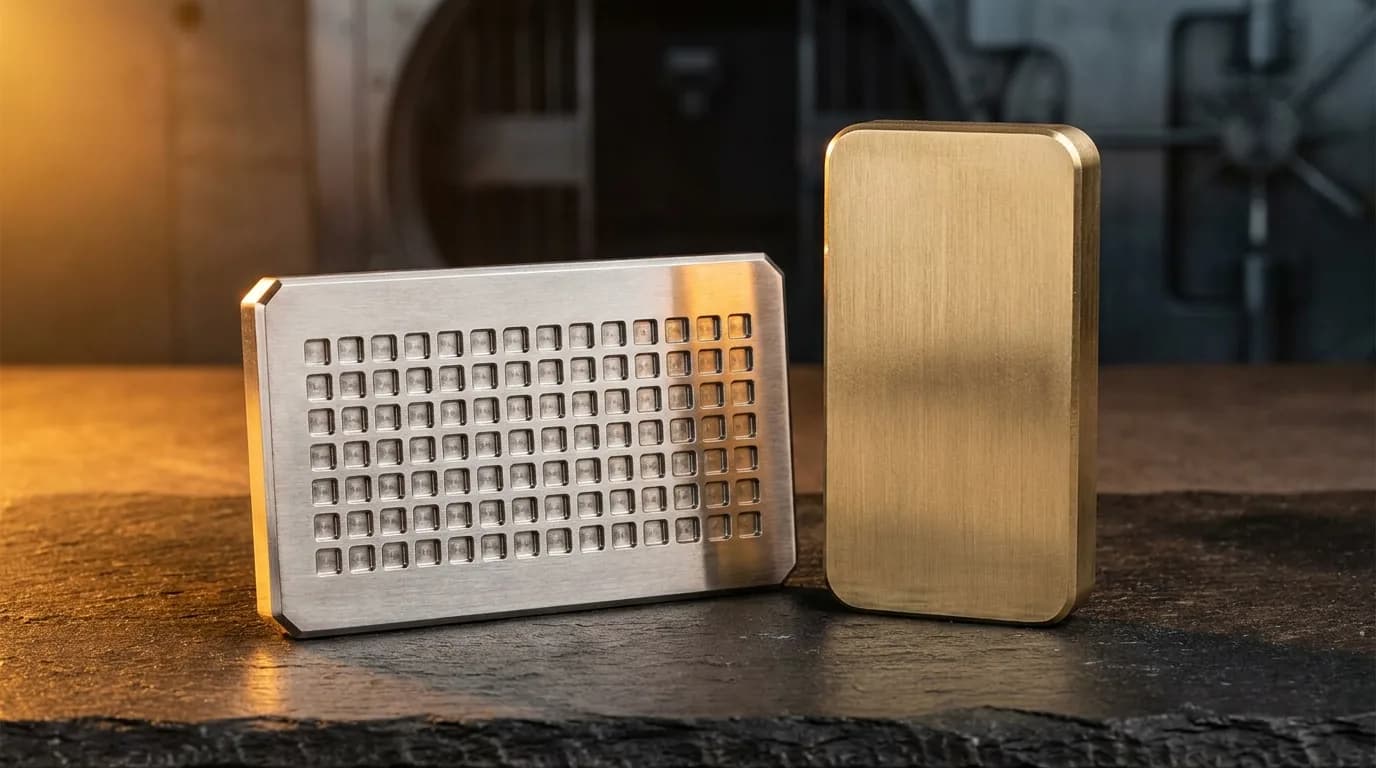
Quick answer: Store a crypto wallet recovery phrase on a stamped stainless steel plate, kept in a safe or safe deposit box, with a second copy in a different building. For large holdings, use a Shamir split (2-of-3) instead. Never put the phrase in iCloud, email, screenshots or a cloud drive. A digital copy is optional and only acceptable as a reference in storage encrypted on your device.
What threats does seed storage need to survive?
A good storage plan has to survive fire, burglary, coercion, phishing and account takeover at the same time. A recovery phrase (usually 12 or 24 words from the BIP-39 word list) is the master key to a self-custody wallet: whoever has it controls the funds, and without it nobody can recover them.
- House fire or flood. Common and devastating. Paper is gone; steel survives.
- Casual theft.A burglar finds a notebook labeled “Wallet”. A second location breaks this.
- $5 wrench attack. Physical coercion. Cryptography cannot help; discretion and a decoy wallet can.
- Phishing.A fake wallet site asks you to “verify” your seed. The words should never be typed anywhere except into your own wallet during a recovery you started.
- Cloud account takeover. Email compromised, then password reset, then cloud storage, then seed exposed. The chain has to end offline.
What are the options for storing a recovery phrase?
There are four realistic options: paper, a stainless steel plate, a Shamir split, and an encrypted digital copy. Steel is the best primary copy for most people, Shamir is worth it for large amounts, paper is a stopgap, and a digital copy should only ever be a secondary reference.
| Method | Pros | Cons | Good for |
|---|---|---|---|
| Paper backup | Free, simple, no electronics | Burns, fades, damaged by water | Short-term backup, small amounts |
| Stainless steel seed plate | Resists fire, water and corrosion | About $30 to $120, can be stolen | Primary long-term storage |
| Shamir split (2-of-3) | No single point of failure | More setup, more places to manage | Large holdings |
| Encrypted digital copy | Quick to check from your phone | Only as safe as the device, app and its key | Optional read-only reference |
Paper
The card that ships with a hardware wallet. Fine for the night you set the wallet up, not for years. Paper ignites around 230 degrees Celsius, house fires get far hotter, and water ruins ink.
Stainless steel seed plate
The serious answer. Grade 304 or 316 stainless plates with stamped letters or punched tiles survive house fires, flooding and years in a damp basement. Many vendors make them (Cryptosteel, Billfodl and others); budget about $30 to $120. In the BIP-39 list the first four letters of every word are unique, so four letters per word is enough.
Shamir's Secret Sharing
Splits the secret into N shares so that any K of them rebuild it and fewer than K reveal nothing. The usual setup is 2-of-3: one share at home, one with family in another city, one in a safe deposit box. Trezor supports this as SLIP-39 Shamir backup on its newer devices. Worth the extra setup when losing or exposing one location would really hurt.
Encrypted digital copy
A narrow, optional case covered below. It is convenient, but it adds risk instead of removing it, so it never replaces the steel.
When is a digital copy acceptable?
A digital copy is acceptable only as a secondary reference, when the steel plate and a second location are already in place, and only in storage that is encrypted on your device with a key you control, is not synced in readable form, and cannot be reset by email. If any of those is missing, skip the digital copy.
Check the app or vault against this list:
- The app encrypts its own storage with AES-256 or similar, using a key derived from a secret only you know. A lock screen on top of normal phone storage is not the same thing.
- No email reset. If the vendor can email you a way back in, so can anyone who controls your email.
- No readable cloud sync. Either no sync, or end-to-end encrypted sync whose keys stay with you.
- A biometric or PIN lock with a short auto-lock, so an unattended phone does not expose it.
- A recovery path you have written down offline, so you do not end up with two things to lose instead of one.
How Secure Notes fits, honestly: Secure Notes for Android meets the storage part of this list. Its vault is an AES-256 encrypted database whose key is derived from your PIN, it never syncs, and it blocks screenshots by default. Secure Notes for iPhone does not encrypt notes itself; it relies on iOS Data Protection plus its passcode and Face ID lock, and its iCloud sync uses keys Apple holds. That is fine for everyday private notes, but we do not recommend it as the home for a large wallet seed. If you use it anyway, keep iCloud sync off, lock the note and keep the steel plate as your real backup. Details are on our security page.
Where should you never store a seed phrase?
Never in screenshots, email, cloud drives, or any account that can be reset by email or single sign-on. These are the places attackers look first, and they put your seed inside the very accounts it should be independent of.
- Screenshots. Photos sync to iCloud or Google Photos, get indexed by on-device text recognition, and stay in Recently Deleted for about 30 days.
- Email to yourself.It sits on someone else's servers, readable by anyone who gets into the account.
- iCloud Drive, Dropbox, Google Drive, or Apple Notes. One phished account password exposes everything. See is iCloud safe for sensitive notes.
- A password manager you log into with “Sign in with Google”. Google account phished, vault open, seed exposed.
- A “support” agent. No real wallet, exchange or service ever asks for your seed. If someone does, it is a scam.
For passwords in general, a dedicated password manager is usually better than a notes app; see storing passwords in a notes app.
What is a practical setup for most people?
For a holding that matters but does not justify Shamir: one stamped steel plate in a safe, a second plate in another building, an optional encrypted digital reference, and a yearly check. That combination survives fire, burglary and account takeover without depending on any company.
- Stainless steel plate, stamped. Primary copy, in a fire-resistant safe or safe deposit box. Never photographed.
- Second plate, different building.A relative's home in another city, or a sealed envelope with your lawyer.
- Optional digital reference. Only in device-encrypted, non-synced storage as described above, such as the Secure Notes for Android vault. Never the primary.
- Yearly check.On a fixed date, confirm every copy is readable and matches, using your wallet's own backup check rather than any website.
For large amounts, replace the second plate with a 2-of-3 Shamir split across three places and consider a multisig wallet. The principle stays the same: several independent copies, offline first, digital optional, checked every year. If you are planning for heirs, read what happens to your notes when you die.
Frequently asked: storing a recovery phrase
Where is the safest place to store a seed phrase?
On a stamped stainless steel plate, kept in a fire-resistant safe or a bank safe deposit box, with a second copy in a different building. Paper works as a short-term backup. A digital copy is optional and should only be a convenience reference in storage that is encrypted on your device and not tied to an email reset.
Is it safe to store a seed phrase in a notes app?
Only as a secondary reference, and only in an app that encrypts its storage with a key you control and does not sync it in readable form. Most notes apps, including Apple Notes without a lock and Secure Notes for iPhone, rely on the phone's own encryption plus an app lock, which is not enough for a large wallet. Keep the steel plate as the primary copy.
Should I split my recovery phrase across multiple locations?
Not by cutting it in half. Knowing six of twelve words makes the rest far easier to brute force. The safe way to split is Shamir's Secret Sharing (for example SLIP-39 on supported Trezor devices), where any two of three shares rebuild the wallet and a single share reveals nothing.
Can a metal seed plate survive a fire?
A good one can. Stainless steel melts at roughly 1,400 to 1,450 degrees Celsius, while house fires usually peak around 600 to 1,100 degrees. Stamped or punched letters survive heat better than shallow laser etching. Check that your plate is readable after you finish it, then store it.
Is it safe to store a seed phrase in iCloud?
No. iCloud Drive, iCloud Notes and iCloud Photos are reachable by anyone who takes over your Apple Account, and without Advanced Data Protection Apple holds the keys. Even with it, every signed-in device becomes a place the phrase can leak. Keep wallet seeds out of any cloud account.
What is a $5 wrench attack?
It is the xkcd idea that strong cryptography does not help if someone threatens you until you hand over the seed. The defenses are physical: keep the seed away from where you live, use a decoy wallet with a small balance, and do not advertise your holdings.
Keep reading
Related guides
Security
Where to store 2FA backup codes
The same separation logic, applied to one-time recovery codes.
Recovery
What is a recovery phrase?
How recovery words work and how to keep them safe.
iCloud
Is iCloud safe for sensitive notes?
What Apple can and cannot read in iCloud.