The notes app
that keeps your secrets
secret.
Lock your notes with a passcode and Face ID. Hide them behind a decoy PIN. Keep an encrypted backup only you can open (on iPhone from version 3.8.1). Text, voice notes and folders, all behind the same lock. Free on iPhone, iPad and Android.
- Lock
- Passcode · Face ID
- Decoy
- Second PIN
- Backup
- AES-256-GCM file (iOS 3.8.1+)
- Account
- None
Abstract
What is Secure Notes?
Secure Notes is a private notes app for iPhone, iPad and Android made by PixelPort LLC. It locks your notes behind a passcode, Face ID, Touch ID or fingerprint, lets you lock single notes and folders, and can show a harmless decoy notebook when you enter a second PIN. There is no account: notes stay on your device, and on iPhone they can sync through your own private iCloud. On iPhone, notes are protected by iOS Data Protection plus the app lock; on Android, the app stores everything in an AES-256 encrypted vault. Backup files (on iPhone from version 3.8.1) are encrypted with AES-256-GCM and a password only you know. People use it for journals, passwords, 2FA backup codes, medical details and anything else too private for a regular notes app. How Secure Notes protects your notes.
01Specification
Every note locked by design.
A private notes app built around one job: keep what you write away from other people's eyes. Here is exactly what it does, and on which platform.
Passcode and Face ID lock
The app locks the moment you leave it. Unlock with your passcode, Face ID or Touch ID on iPhone and iPad, or your PIN or fingerprint on Android. Face and fingerprint data never leave the device's secure hardware.
Locked notes and folders
Lock a single note or a whole folder on top of the app lock. Locked items stay hidden until you unlock them, so a quick glance over your shoulder shows nothing.
Decoy PIN
Set a second PIN that opens a separate, harmless notebook. If someone insists you unlock the app, show them the decoy. Your real notes stay out of sight. (Pro)
Encrypted backups
Export a backup file encrypted with AES-256-GCM, with the key derived on your device from a password you choose. Without that password the file cannot be opened, by us or anyone else. (Pro; on iPhone from version 3.8.1)
Private iCloud sync
On iPhone and iPad, notes can sync through your own private iCloud database. We run no note servers, so we never see your notes. iCloud copies get Apple's standard iCloud encryption. (Pro)
Encrypted vault on Android
On Android, every note, photo and voice clip is stored in an AES-256 encrypted vault (SQLCipher), with the key protected by your PIN through Argon2id. Screenshot blocking is on by default.
Voice notes and photos
Record voice notes up to 10 minutes with Pro, adjust playback speed and turn them into text on the device. Add photos to any note. All of it sits behind the same lock.
12 recovery words
Save 12 recovery words when you set your passcode. If you ever forget it, the words get you back into the app. No account and no email reset link needed.
02The App
Considered, not cluttered.
Every screen is designed to keep you writing and your content hidden. The security is serious. The interface is quiet.
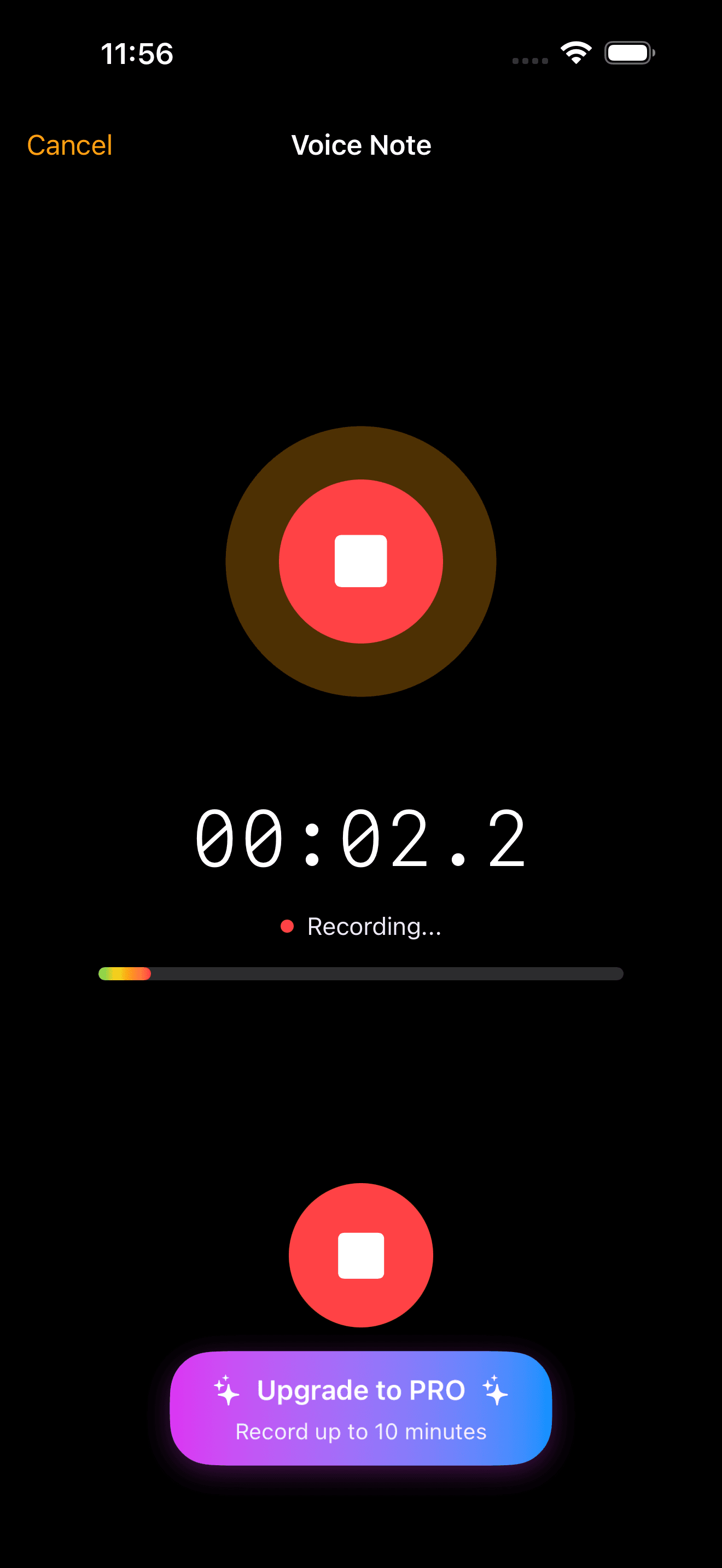
Voice notes, behind the lock
Record voice notes into the same locked notebook as your text, then play them back or turn them into text.
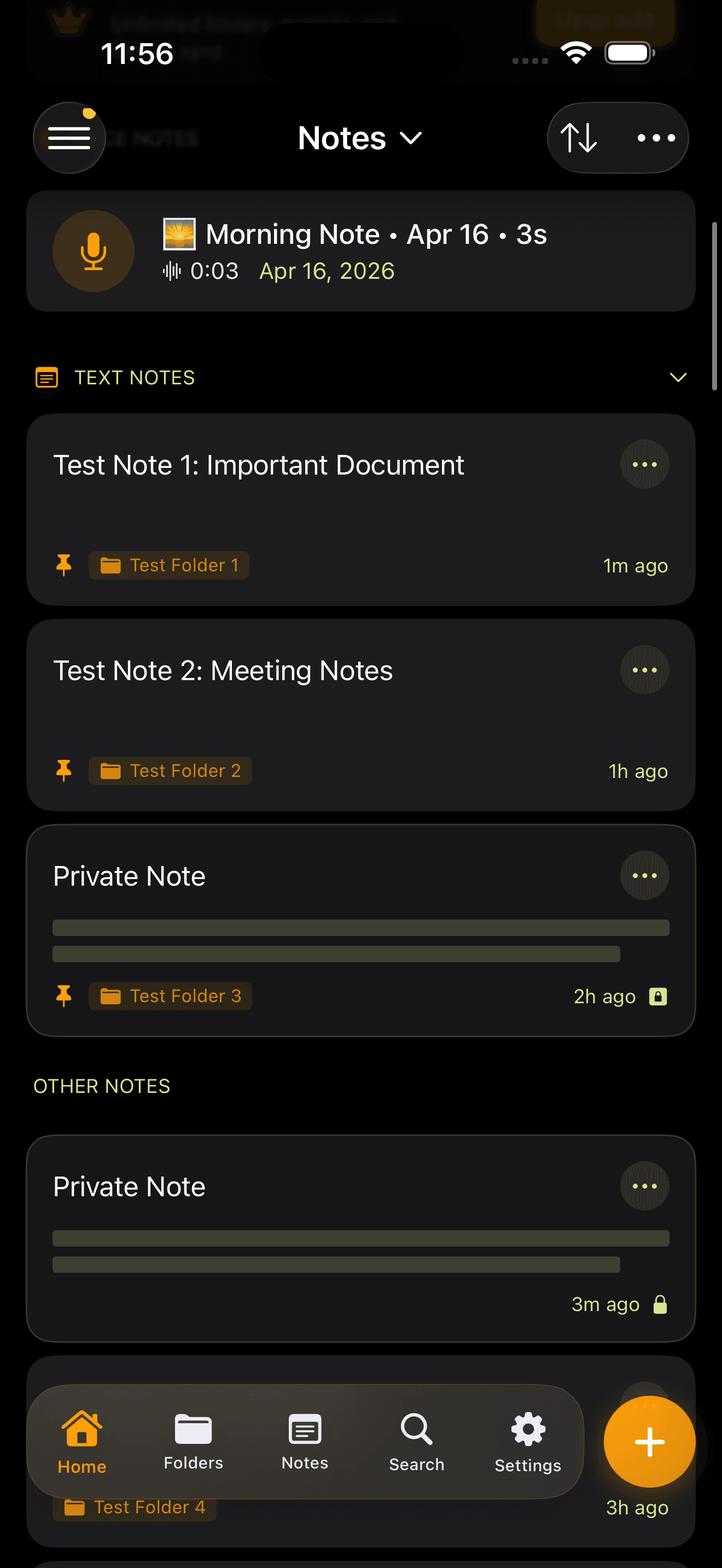
Mixed media, one notebook
Text notes, voice notes and pinned folders side by side. Locked items stay hidden.
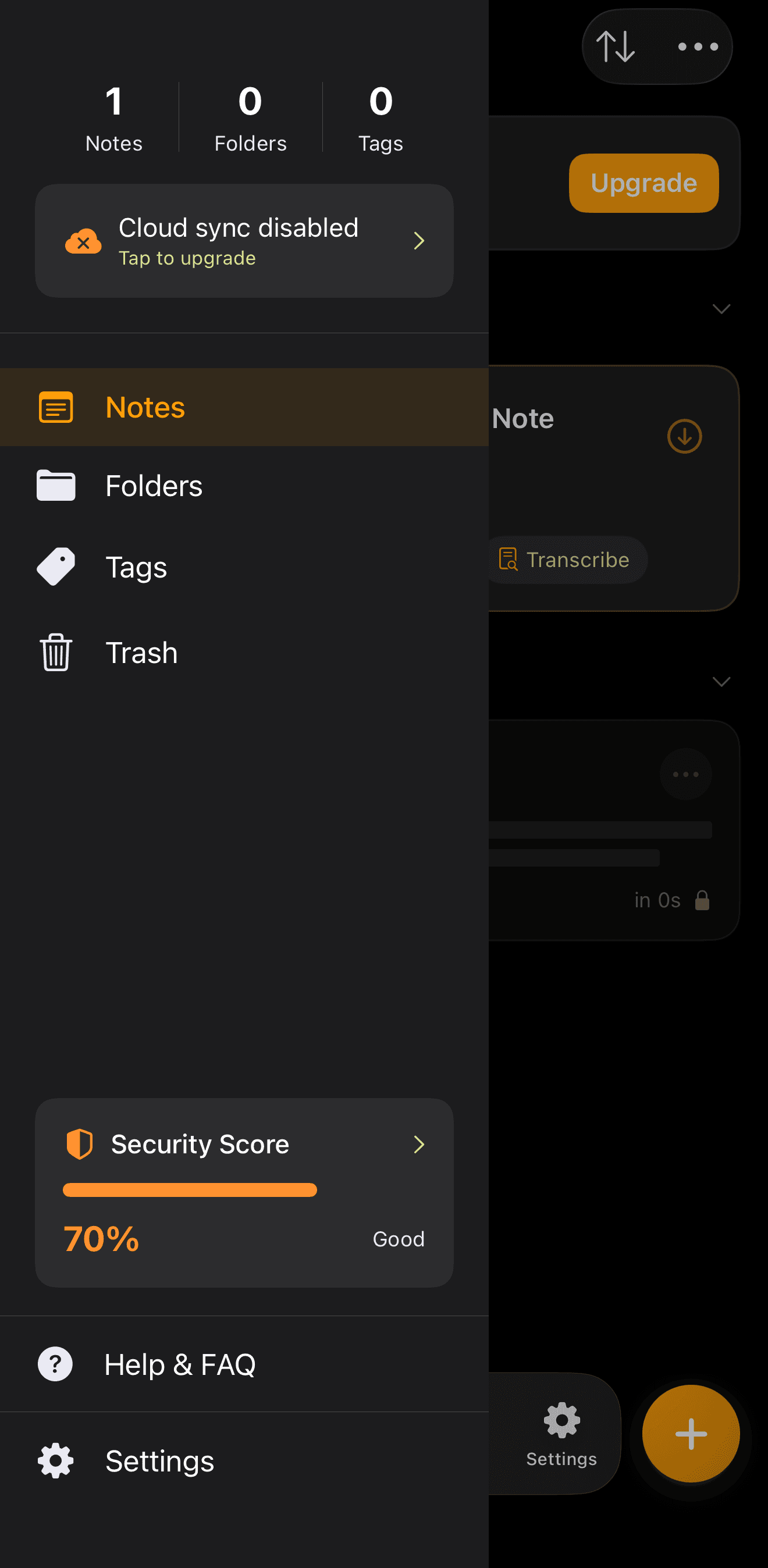
Security checkup
A checklist for your setup: passcode, Face ID, decoy PIN, backup and recovery words.
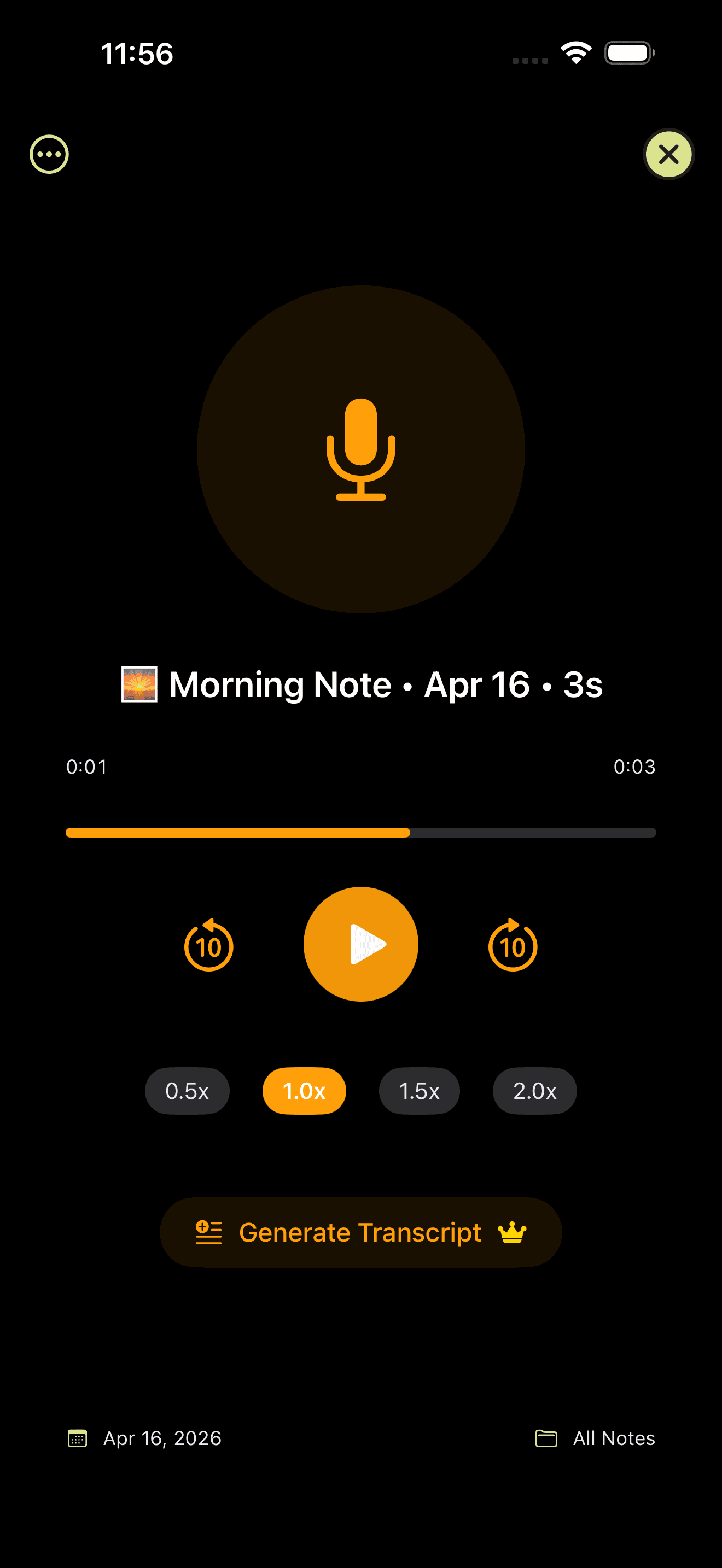
Playback at your pace
Re-listen at a slower or faster speed, or read the on-device transcript.
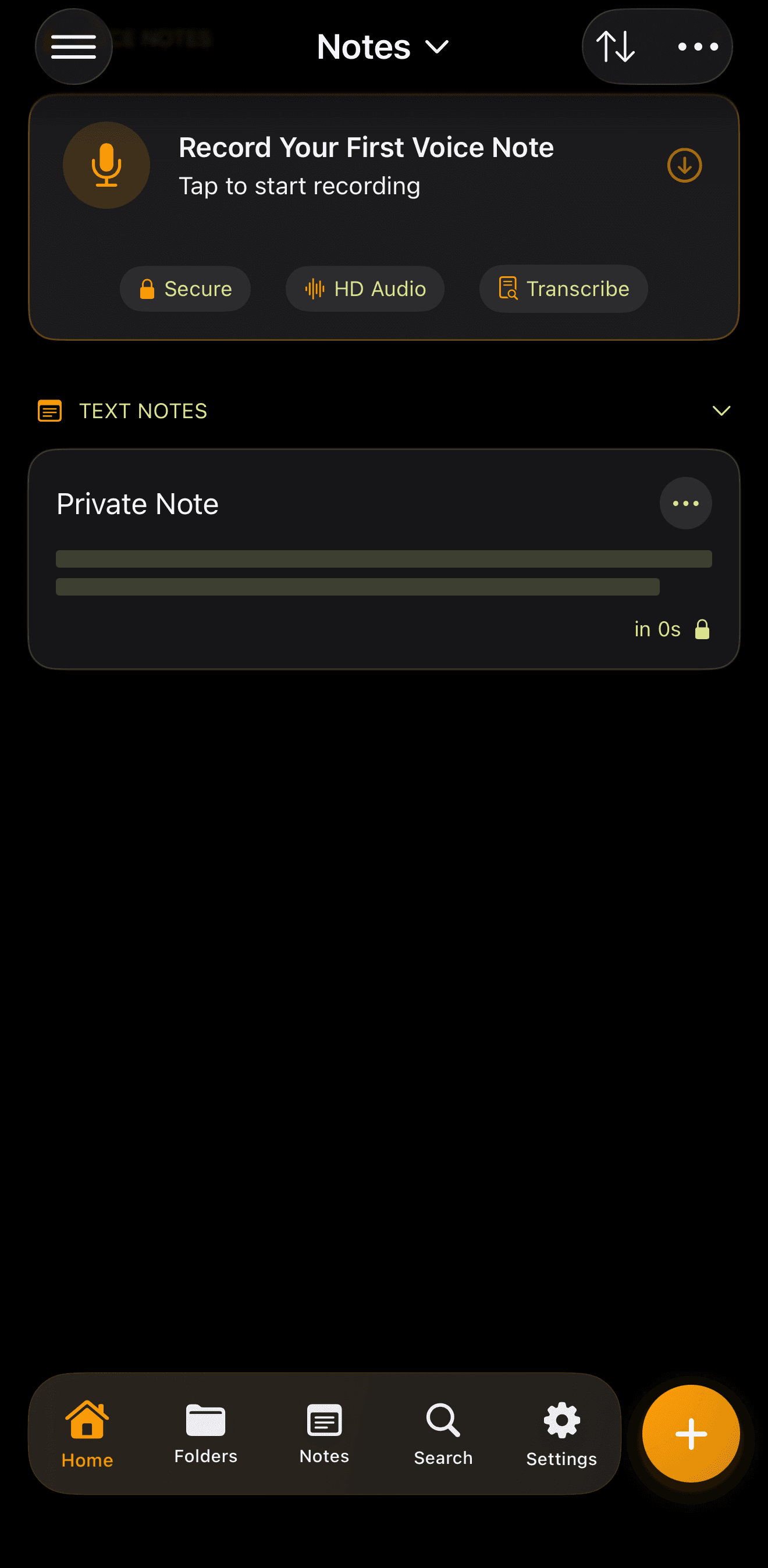
Quiet first launch
A single private note and a prompt to start writing. No tour, no account.
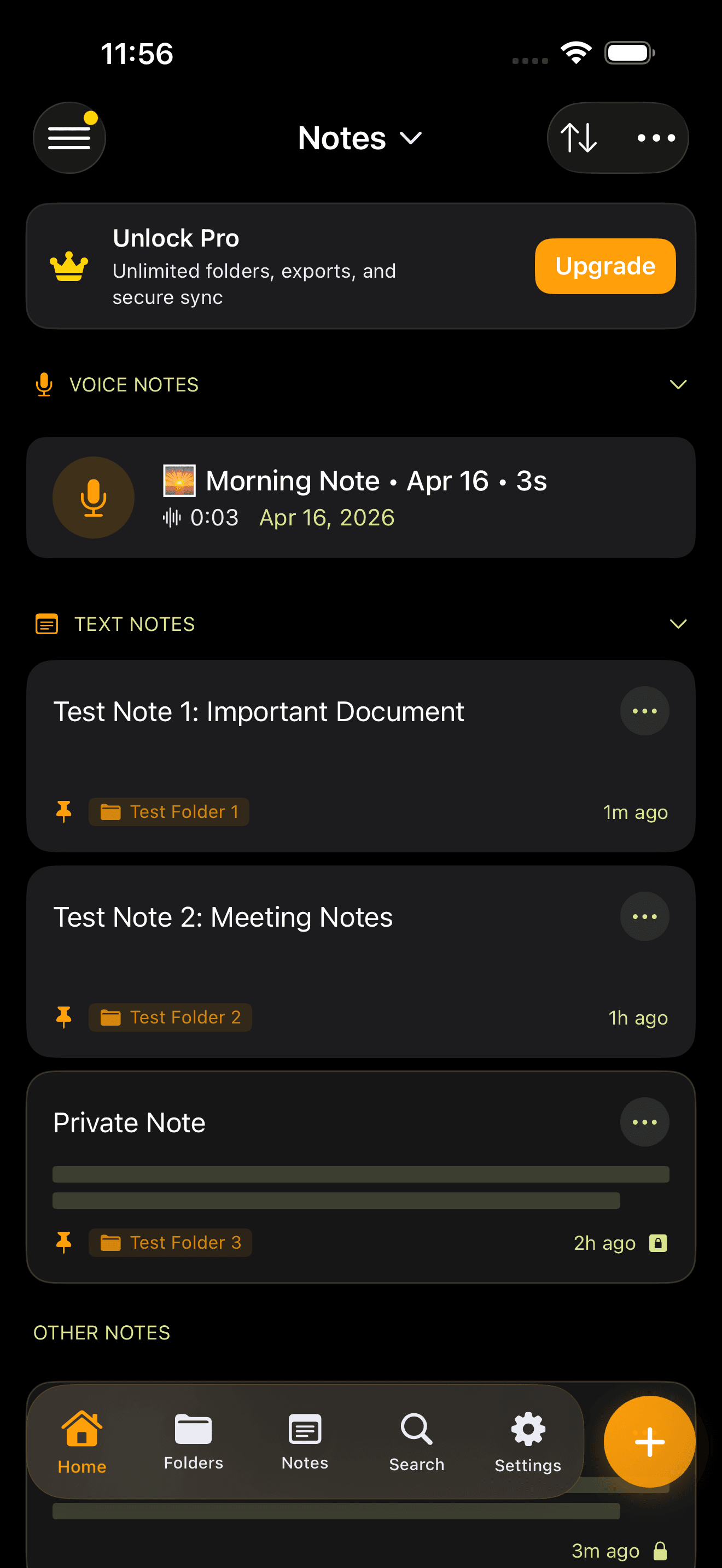
Pro when you want more
Pro adds iCloud sync, the decoy vault, encrypted backups (iPhone from version 3.8.1), unlimited folders and themes.
03Field reports
Loved by people with things to protect.
Rated 4.6 out of 5 on the US App Store. Real reviews, quoted as written, with the reviewer's App Store name.
Great changes
I'm now bringing back the 5 stars because I'm no longer being punished for not hitting my letters correctly (aka typos) or being bombarded with pop ups :) I got back the app I once loved and appreciated so much.
Most secure
This is the most secure application I have ever came across!
Superior Notes app (with a few suggestions)
I'm in love with this app. From the night mode to the advanced lock options, this is the happiest I've even been taking notes on a smart phone.
Good app.
Great app. It's much the same as the default notes app on iPhone but it has a security barrier prior to accessing your notes. Exactly what I was after.
Brilliant...
Now that you can adjust the font size . This app is brilliant for storing all your passwords and personal pins ... Highly recommend...
Nice and simple app!
I like this app for my private diary and journaling. No complaints :)
04Why Secure Notes
Privacy is the default, not an upsell.
No account to create, no note servers, no reading your notes. The lock, the decoy PIN and the recovery words are in the free download or a single upgrade away.
No account, no note servers
There is nothing to sign up for. Notes stay on your device, or in your own private iCloud if you turn on sync. We never receive your note content.
Honest about protection
On iPhone, notes are protected by iOS Data Protection plus our lock. On Android, the app encrypts the whole vault. Backups are AES-256 encrypted. We say exactly which is which.
Your notes are not the product
We never read, scan or sell note content. The app uses analytics and crash reports, and on iPhone measures ads only if you tap Allow on Apple's tracking prompt.
Built since 2019
PixelPort LLC has shipped Secure Notes on the App Store since 2019 and on Google Play since 2026. Questions go to a real inbox: [email protected].
Ready to lock your notes?
Free on iPhone, iPad and Android · Passcode and Face ID · Decoy PIN · Encrypted backups (iPhone 3.8.1+)

05FAQ
Frequently asked.
The questions we get most often. If yours isn't here, email [email protected].
Install Secure Notes, set a passcode and turn on Face ID or Touch ID. The whole app locks when you leave it, and you can also lock a single note or a folder with its own lock. Locked notes stay hidden until you unlock them.
On iPhone, notes are protected by iOS Data Protection, which encrypts the phone's storage, plus the app's own passcode and Face ID lock. The app does not add a separate encryption layer to notes. From version 3.8.1, the Pro backup file is encrypted by the app with AES-256-GCM using your password. On Android, the app encrypts the whole vault with AES-256.
Yes. Secure Notes Pro for iPhone and iPad syncs through your own private iCloud database (CloudKit). The developer has no server that stores your notes. iCloud copies are protected by Apple's standard iCloud encryption, with Apple holding the keys. Secure Notes sync is not end-to-end encrypted.
Apple Notes is end-to-end encrypted in iCloud only when Advanced Data Protection is on. Without it, Apple holds the keys for standard iCloud data. Locked notes in Apple Notes are encrypted with a separate notes password or your device passcode.
A decoy PIN is a second passcode that opens a separate, harmless notebook. If someone makes you unlock the app, you can enter the decoy PIN and they see ordinary notes, while your real notes stay hidden behind your main passcode.
Yes. Secure Notes is on Google Play for Android 8.0 and later. The Android app stores notes in an AES-256 encrypted vault on the phone, unlocks with a PIN or fingerprint, and blocks screenshots by default. It does not sync with the iPhone app.
The app uses analytics and crash reporting to improve the app, and on iPhone it measures ads with Meta and Google only if you tap Allow on Apple's tracking prompt. Your note content is never sent to us or to any analytics provider.
Yes. Secure Notes is free to download, with the passcode and Face ID lock and locked notes included. An optional Pro subscription (or, on iPhone and iPad, a one-time lifetime purchase) adds the decoy vault, encrypted backups (iPhone from version 3.8.1), unlimited folders and extra themes, plus iCloud sync on iPhone and iPad.